Can your wallet still use a referral code?
Paste your Hyperliquid address. You'll see whether it already has a code, and if not, whether you can still add one. The app accepts a code while a wallet has traded $10,000 or less.
Paste the public address only. This reads Hyperliquid's public API. It never asks you to connect or sign anything. We don't log addresses.
How to add a code after you signed up
- Log in to app.hyperliquid.xyz with the same email or wallet you trade with.
- Open Referrals from the top menu (it may sit under More on small screens).
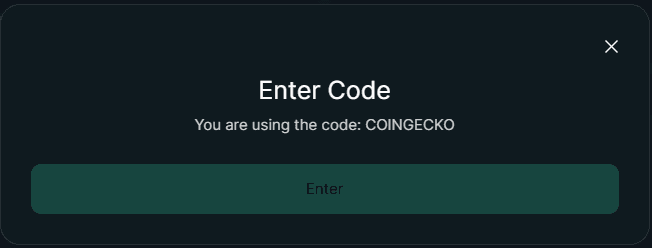
- Click Enter Code, type COINGECKO and confirm. If you use a wallet, sign the request. It costs no gas.
- Paste your address into the checker above. It should now say COINGECKO is active.
Once a code is set, the same dialog shows it instead of an empty field, and Enter is grayed out:
When the code doesn't work
The Enter button is grayed out
The wallet already has a code, or it has traded more than $10,000. The checker tells you which. A code can't be changed or removed once it is set.
The code is set but fees look the same
The discount is 4% of the fee, not 4 percentage points. A taker fee of 0.045% becomes 0.0432%, so a $10,000 trade costs $4.32 instead of $4.50. Check the fee on a filled order in your trade history.
Trades placed through apps such as Phantom or a trading terminal can carry a builder code. A proposal page in Hyperliquid's docs says a builder code overrides the referral code for that order. Trades in vaults and sub-accounts never get the discount.
You logged in with email
Email login creates a wallet for you. Its address is shown when you open the account menu in the app. Check that address, not a separate wallet you own.
New to Hyperliquid? Start with how to start trading.
Questions
Where do I enter a referral code on Hyperliquid?
Why can't I enter a code any more?
Is it safe to paste my address here?
I used the link but the checker shows no code. Why?
Sources
- Hyperliquid Docs: Referrals read October 29, 2026
- Hyperliquid Docs: Info endpoint (API) read October 29, 2026
- app.hyperliquid.xyz referral code dialog (front-end source) read October 29, 2026
- Hyperliquid Docs: Proposal, staking referral program read October 29, 2026
Page updated October 29, 2026. Referral and fee terms checked automatically against Hyperliquid's docs on October 29, 2026. Written by the Hyperliquid Discount team. How we check facts.