How to start trading on Hyperliquid
Open the join link, log in with email or a wallet, deposit USDC and trade. Doing it in this order means the 4% discount is on your account before the first trade.
- You need
- Email or an EVM wallet
- To deposit
- USDC, or BTC, ETH, SOL and others
- Gas to trade
- None
- KYC in the app
- No
- Code to use
- COINGECKO
- Add the code by
- $10,000 traded
1. Open the join link
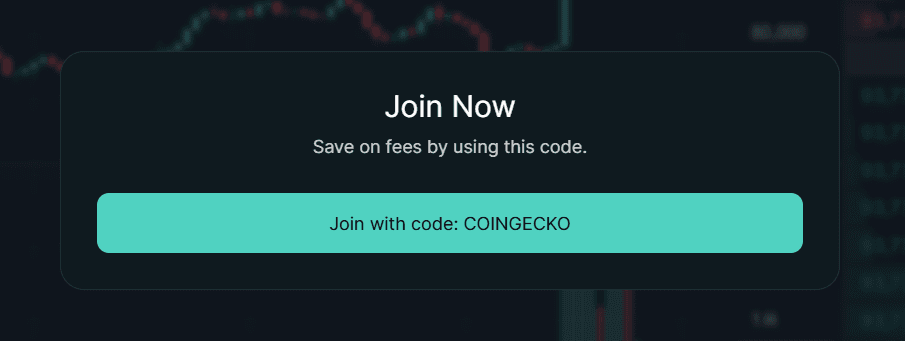
Open app.hyperliquid.xyz/join/COINGECKO using the button below. Hyperliquid shows a Join Now dialog with the code filled in. Click Join with code.
2. Log in with email or connect a wallet
With email
- Click Connect and enter your email address.
- Type the 6-digit code Hyperliquid emails you. You are logged in, and a wallet is created for you.
With a wallet
- Click Connect and pick your wallet: Rabby, MetaMask, Coinbase Wallet or WalletConnect. Approve the connection in the wallet.
- Click Enable Trading and sign the request. It is a gas-free signature, not a transaction.
Never type your seed phrase into a website. Hyperliquid only asks you to connect and sign.
3. Deposit
Click Deposit. The simplest route is USDC on Arbitrum, which needs a little ETH on Arbitrum for gas. With email login you can also send USDC on Arbitrum, Ethereum, Base or Polygon to the deposit address shown. BTC, ETH, SOL and several other assets can be deposited too, and then sold for USDC on Hyperliquid's spot market. The deposit guide covers each route and the mistakes to avoid.
4. Check the discount is active
Paste your address into the wallet checker. It should say COINGECKO is active. If it shows no code, enter it on the Referrals page in the app before you trade.
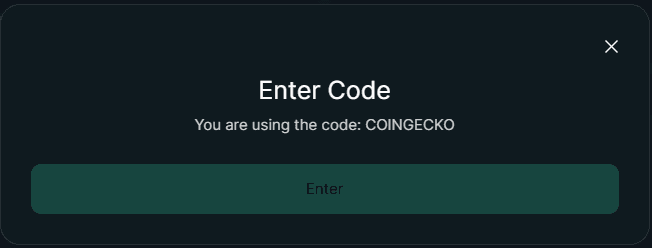
You can also check in the app: open Referrals and click Enter Code. With the code set, the dialog says you are using COINGECKO.
5. Place your first trade
- Pick a market with the token selector at the top left, for example BTC.
- Choose Long if you expect the price to rise, Short if you expect it to fall.
- Set the size. Position size is your margin times your leverage, and fees are charged on the position size.
- Click Place Order and confirm.
Start small and with low leverage. A market order fills now and pays the taker fee. A limit order that waits on the book pays the lower maker fee. See fees for the rates.
Trading through other apps
Phantom, MetaMask, Dexari and trading terminals connect to the same Hyperliquid order book. Many of them add a builder fee to each order, and a proposal page in Hyperliquid's docs says a builder code overrides the referral code for that order. To be sure of the 4% discount, trade on app.hyperliquid.xyz.
Want stocks or gold instead of crypto? Hyperliquid also lists HIP-3 perps on shares and commodities. See stocks on Hyperliquid.
Questions
Do I need a crypto wallet to use Hyperliquid?
Do I need KYC?
Is there a mobile app?
When should I add the referral code?
Sources
- Hyperliquid Docs: How to start trading read October 29, 2026
- Hyperliquid Docs: Referrals read October 29, 2026
- Hyperliquid Docs: Builder codes read October 29, 2026
- Hyperliquid Docs: Proposal, staking referral program read October 29, 2026
- Google Play: Hyperliquid (Hyperliquid Corp) read October 29, 2026
Page updated October 29, 2026. Referral and fee terms checked automatically against Hyperliquid's docs on October 29, 2026. Written by the Hyperliquid Discount team. How we check facts.